MESSAGES AND APPLE PAY
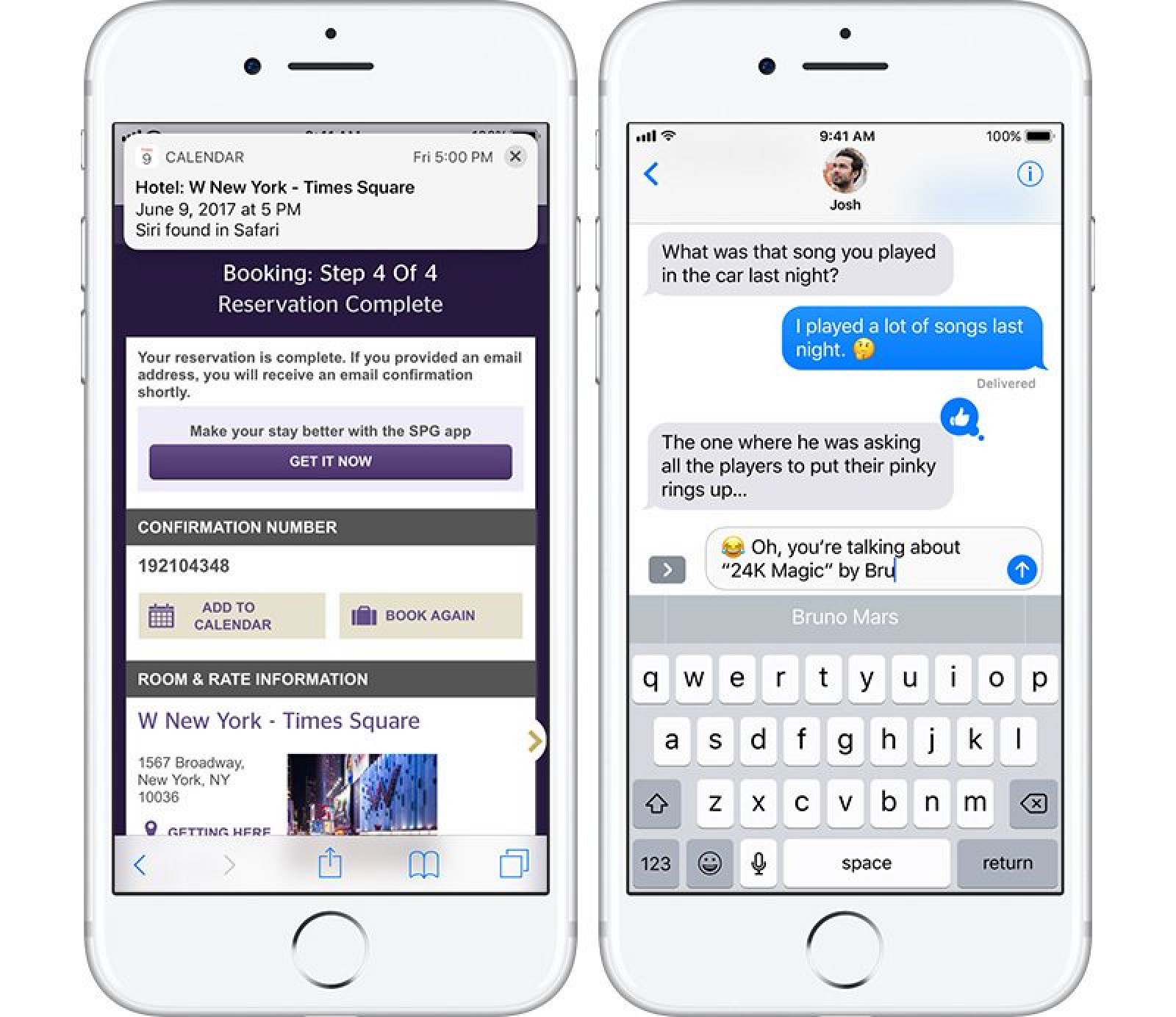
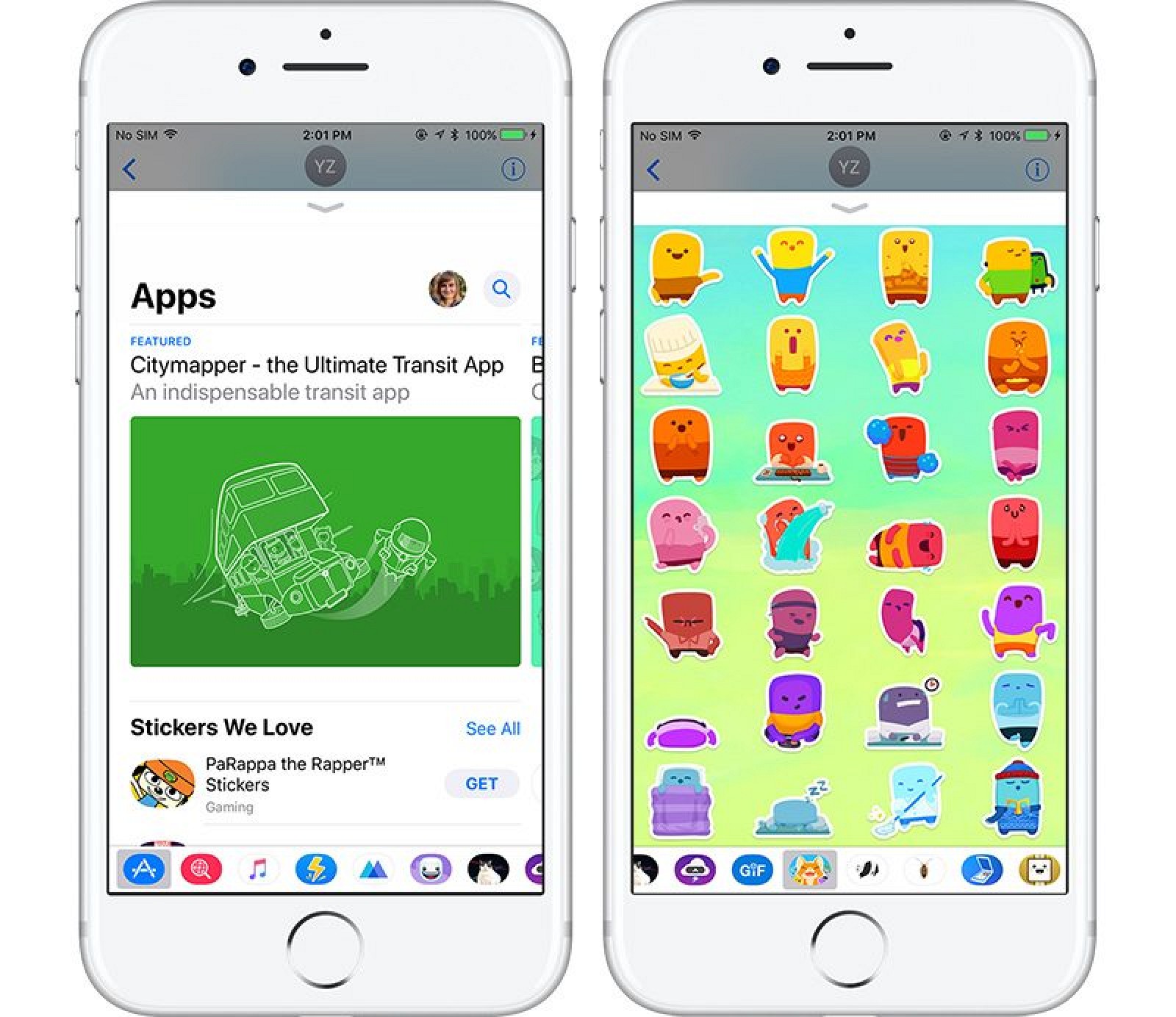
In iOS 10, Apple introduced apps for Messages and an iMessage App Store. In iOS 11, there's a new App Drawer located below the text entry in Messages that's designed to make it easier to access apps and stickers.
All installed apps and stickers are located in the App Drawer and can be selected with a tap and scrolled through with swipes. The first icon in the App Drawer opens the App Store for downloading new apps.
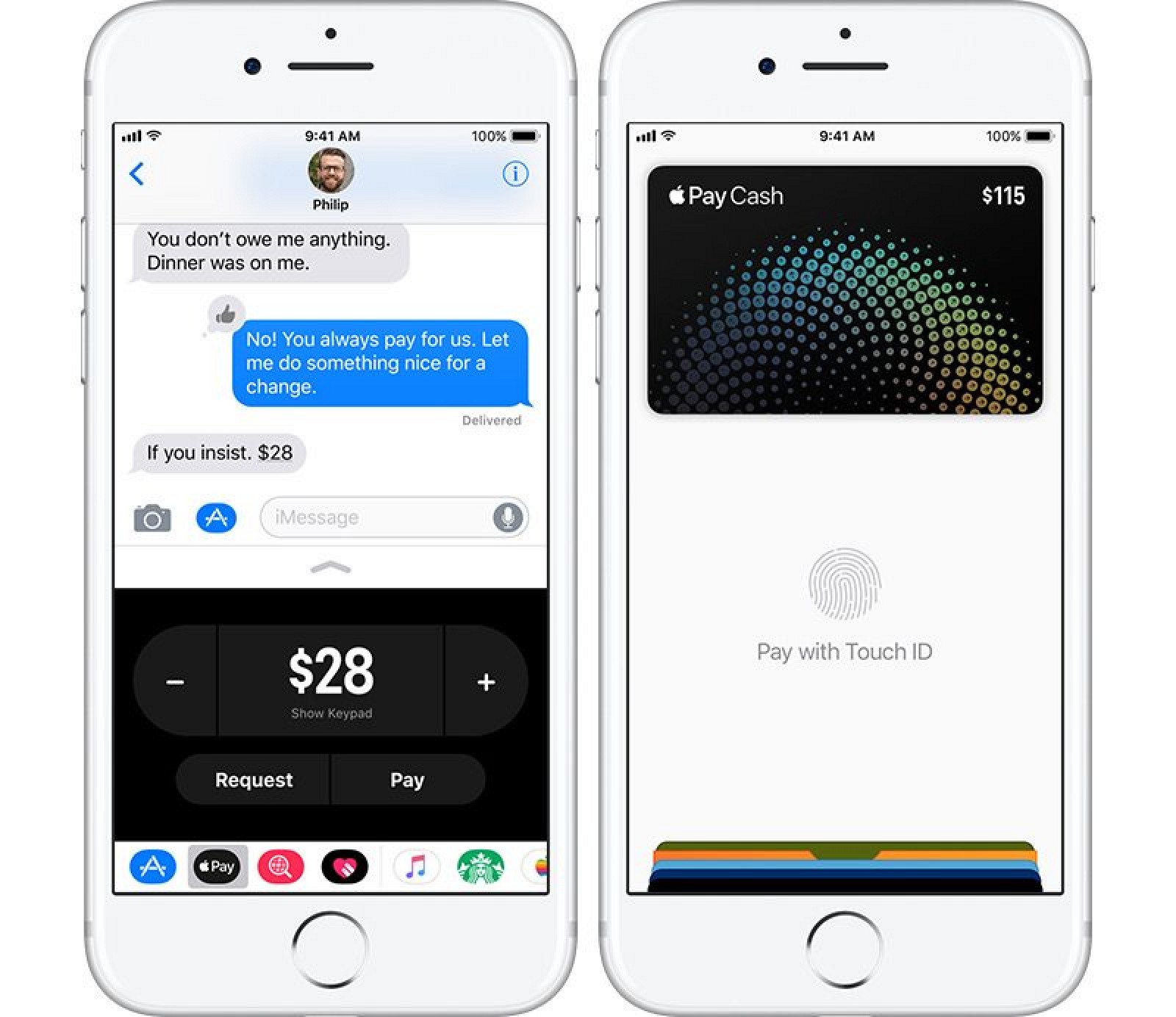
Along with the App Drawer, Messages is the home of a major new Apple Pay feature - peer-to-peer payments. Using an Apple Pay Messages app, you can now send and receive money using Apple Pay and a connected debit or credit card, similar to apps like Square Cash or Venmo.
Money can be sent in Messages using standard fingerprint authentication, and funds received are available in a new Apple Pay Cash card that's located in Wallet. This card can be used to make Apple Pay purchases where Apple Pay is accepted (similar to any other credit or debit card stored in Apple Pay), or it can be transferred to a bank account.
Sending money using Messages requires an Apple Pay-compatible device, which includes the iPhone SE, iPhone 6 or later, iPad Pro, iPad 5th generation, iPad Air 2, iPad mini 3 or later, and Apple Watch. Person-to-person payments are limited to the United States at the current time.
Like many peer-to-peer money transferring services, sending money will be free when a debit card is used, but will incur a 3 percent fee when using a credit card.
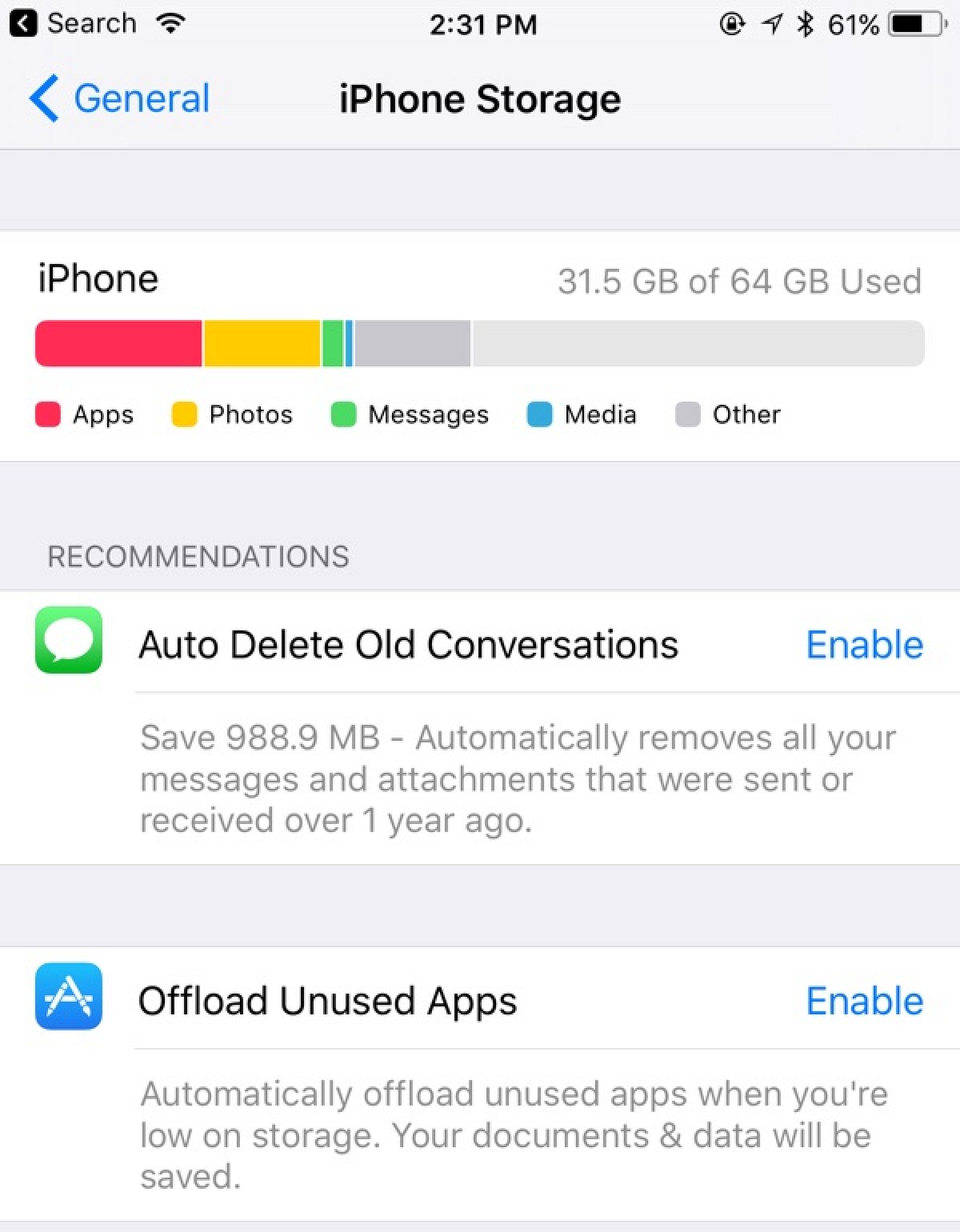
Going forward, there's a new Messages in iCloud feature that will let you store all of your iMessages in iCloud. Messages will sync across all devices, including new devices, and they stay in sync on everything. Storing iMessages in iCloud means only the most recent conversations need to be cached on your device, freeing up valuable storage space and making iPhone backups both smaller and faster.
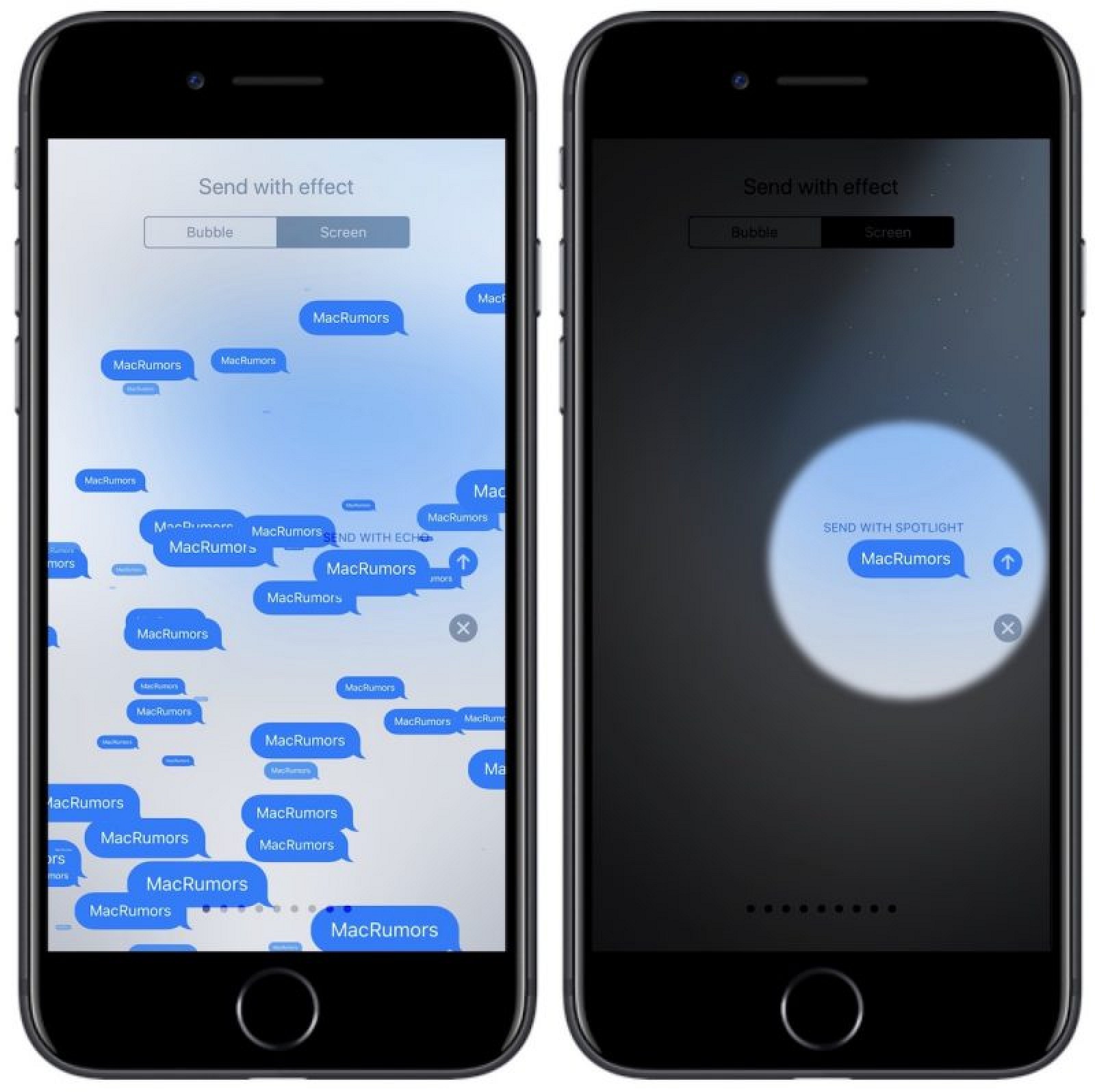
Messages also includes two new Screen Effects, "Echo" and "Spotlight." Echo is designed to multiply any message sent to a friend over and over again, filling up the screen, while Spotlight adds an emphasis to a message through a visual spotlight effect.
NOTES
As outlined above, Notes features an Instant Notes option that works with the Apple Pencil, and Inline Drawing for annotating notes with simple sketches and images.
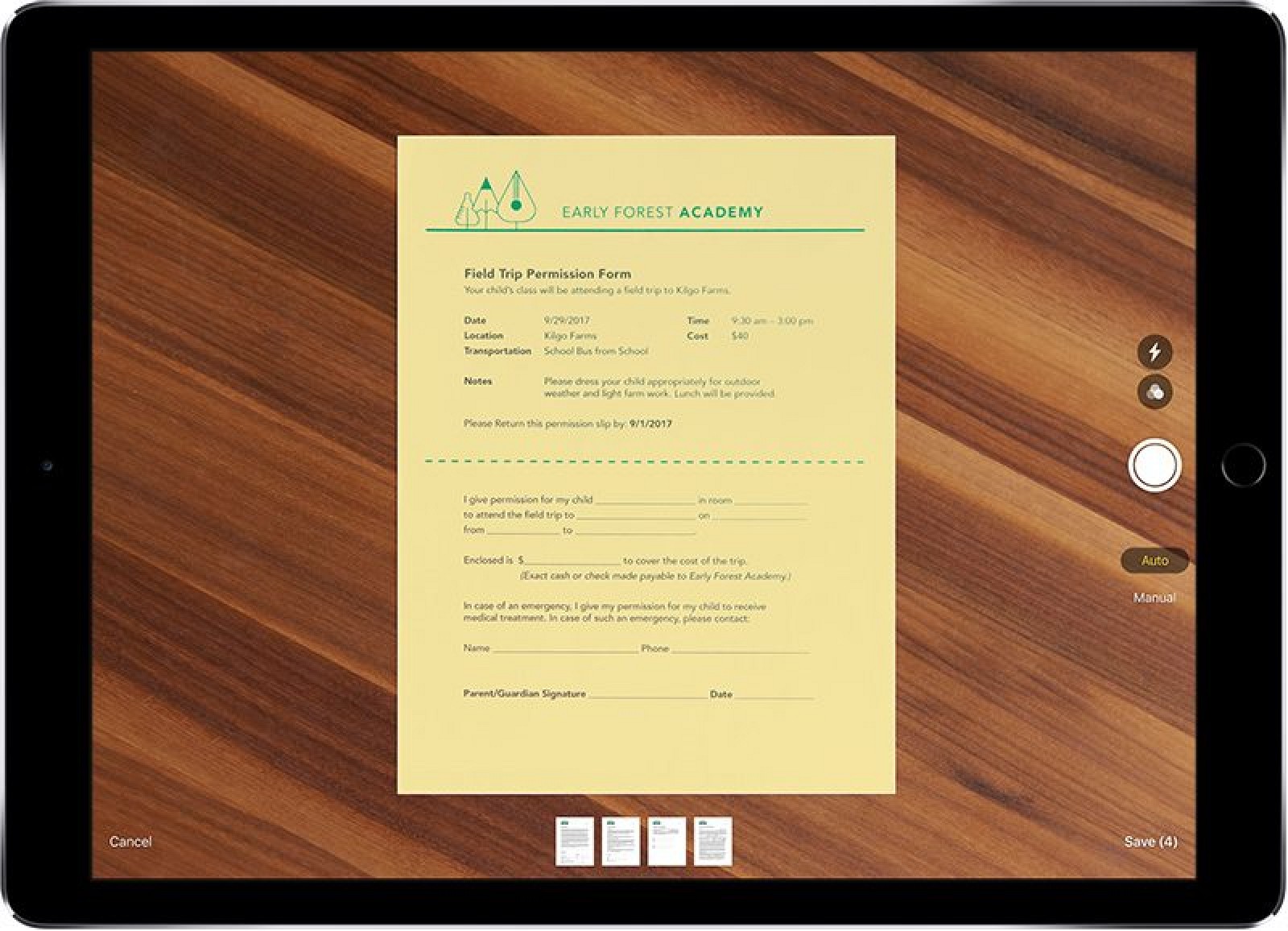
Notes includes a new Document Scanner that senses and scans a document, crops the edges, and removes tilt or glare before allowing the document to be edited, saved, and shared. The new Document Scanner is able to effectively replace third-party document scanning apps.
Notes is also now smart enough to recognize your handwriting, making it searchable for the first time. Handwritten content will act just like typed content, coming up in Spotlight searches so you can quickly locate notes you've taken.
MAPS
Apple has purchased several indoor mapping companies, and in iOS 11, it's making use of that technology. iOS 11 supports indoor maps of select malls and airports around the world, displaying full layouts of each location with icons for restaurants, bathrooms, and other notable indoor landmarks.
Indoor mapping technology is limited to a handful of malls and airports at launch, but Apple says support will be dramatically expanded over time.
Maps is gaining lane guidance, which is designed to help you avoid missing a sudden turn or an exit by telling you which lane to be in, and it will now display the speed limit of the road that you're on.
APPLE NEWS
Apple News has a new tab called "Spotlight" that houses a selection of news stories picked by the Apple News editorial staff. Each day, Spotlight features a new topic and highlights stories centered on that particular topic. Apple describes Spotlight as "a deep-dive into the story of the day, with features, photos, and videos handpicked by our editors."
The "For You" section of Spotlight will also now surface content suggested by Siri based on your Safari and app usage.
APPLE MUSIC
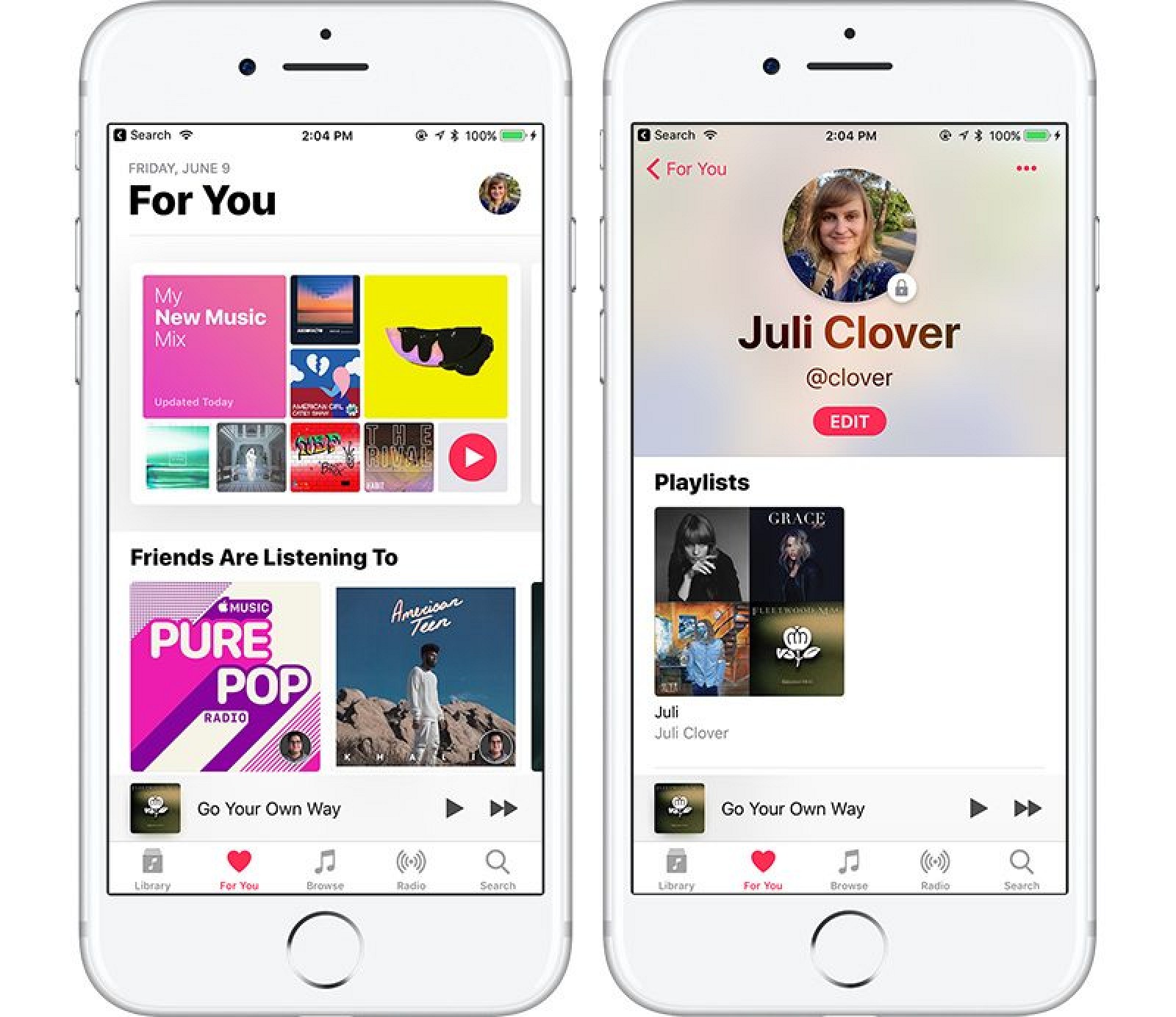
The "Connect" feature in Apple Music that required you to make a Connect account back when the service first debuted is finally being put to use beyond following artists. In iOS 11, you can make an Apple Music profile that allows you to share playlists with friends and see your friends' playlists.
Your profile lives in the "For You" section of Apple Music, and when you tap it, you can see the profiles of the friends that you follow. From there, you can see what they've been listening to. Profiles can be set to public or private, as with any social network.
CAMERA
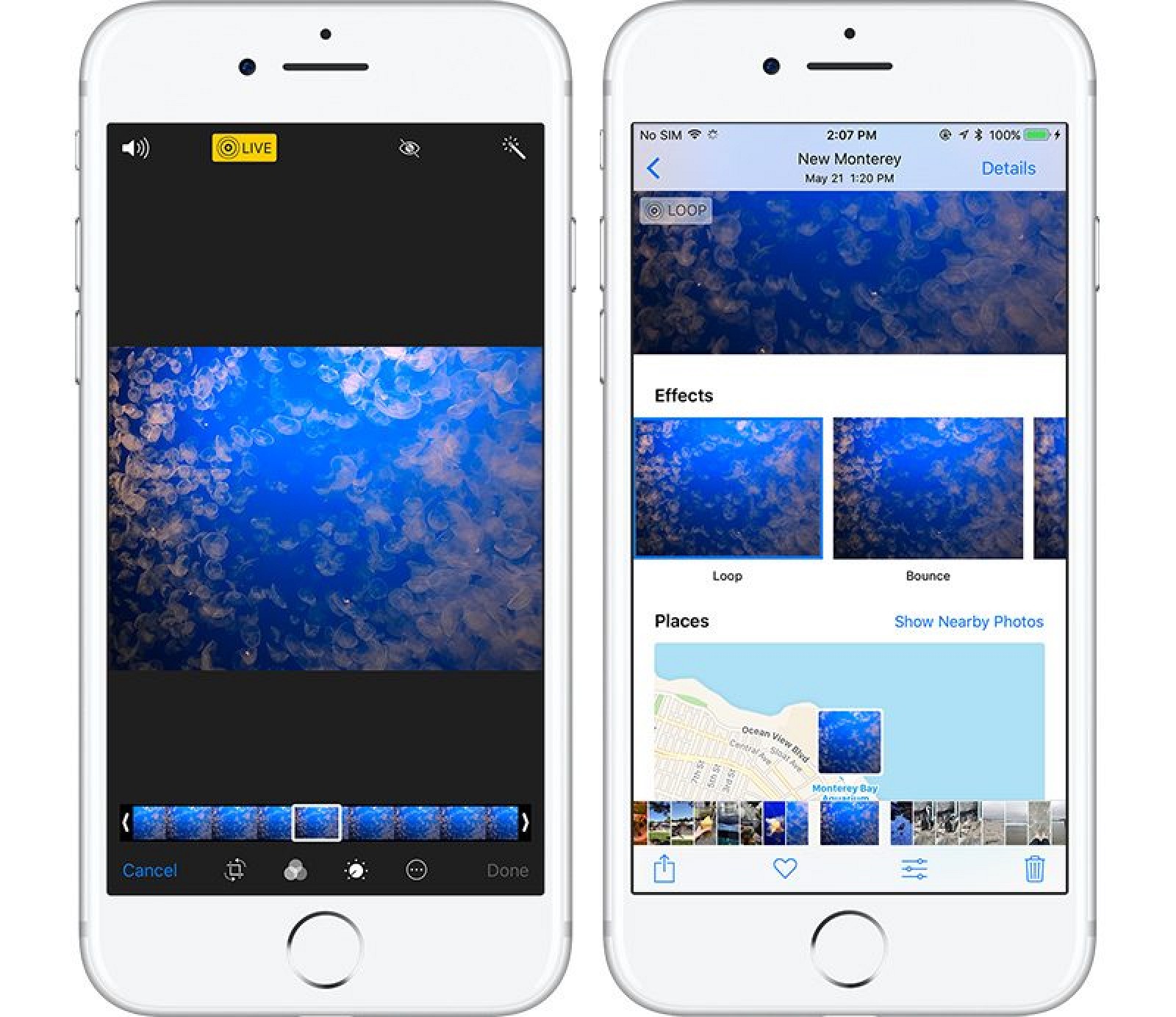
Live Photos, the feature that adds a bit of motion magic to still photos, is even better in iOS 11. For the first time, you can use a slider to select a portion of the Live Photo that looks the best. Since Live Photos are essentially short videos, it's like pulling the best still shot out of a video.
This is a nice change for images where the key photograph might have been blurred, because now you can select a non-blurry section of the image. There's also an option to crop Live Photos to keep only a portion of the motion recording, and there are new Loop, Bounce, and Long Exposure options.
Loop causes a Live Photo to loop continually like a GIF, while Bounce is the same thing but forwards and then backwards. Long Exposure has a more limited use because it converts a the video portion of the image into a long exposure photograph, but it is useful where only a part of an image moves, like running water.
For iPhones that support Portrait Mode, iOS 11 brings some important improvements. Image quality has been improved, low light performance is better, and Portrait Mode images support optical image stabilization. Flash works in Portrait Mode for the first time, and it also supports HDR for even better lighting and filters for adding flare.
When you FaceTime someone in iOS 11 on an device that's capable of taking Live Photos, there's a new button for capturing a Live Photo during the chat.
HEVC and HEIF
Internally, the way photos and videos are stored is being updated, which means images and videos are going to take up less space on iPhones and iPads. For video, Apple is implementing HEVC or H.265 video encoding, which results in 2x better compression. The JPEG image format is also being changed to HEIF (High Efficiency Image Format), which also allows for photos that are half the size.
Photos and videos will also take up less storage space in iCloud, and though there are new storage formats, photos and videos sent from iOS devices remain compatible with other devices so you can still share content with your friends. These new formats are available on Apple's latest devices, those with an A9 chip or later.
PHOTOS
Facial recognition in Photos, which was previously exclusive to each iOS or Mac device, will now sync with all of your devices. That means you only have to tell Photos who each person is once, and it'll sync that info across Macs, iPhones, and iPads.
Photos is taking advantage of better machine learning techniques to surface new kinds of Memories (aka built-in automatically generated slideshows). In iOS 11, you'll see Memories of pets, activities, and children growing up, among other new montages. Memories can also recognize a device's orientation and put together a slideshow in either landscape or portrait mode.
In Photos, there's also a new custom Share Sheet option that's designed to make it much easier to turn a photograph into a watch face for an accompanying Apple Watch.
SAFARI
Safari has a new feature that's designed to prevent websites from tracking you across multiple sites for the purposes of delivering ads. It's not going to cut down on the ads that you see, but it will make it harder for advertisers to gather data about what you've been browsing.
Safari also integrates with Siri in new ways, letting Siri to learn more about your web browsing preferences, information that's used to allow the personal assistant to better anticipate what you might type or what you might want to see when doing things like browsing Apple News.
HOME
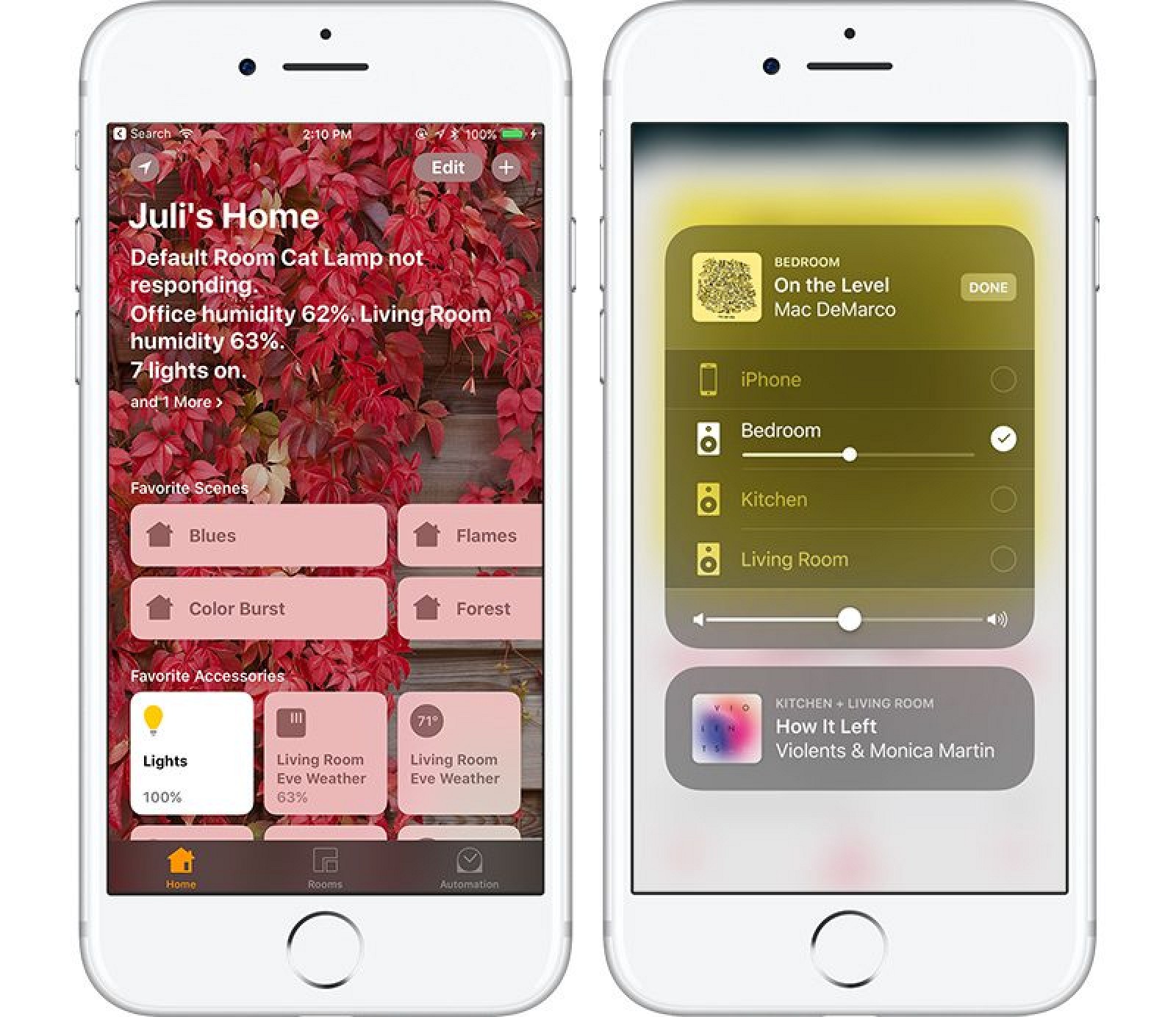
The Home app, and HomeKit, are gaining support for speakers. HomeKit-compatible speakers, like Apple's HomePod, will be able to interface with HomeKit, allowing the Home app to be used to configure and control them.
AirPlay 2
A new AirPlay 2 feature adds multi-room audio support to compatible speakers, allowing music to be played to all of the connected speakers in a home or just a select few, similar to how Sonos works. Major speaker manufacturers like Beats, Bose, B&O, and Bowers & Wilkins plan to support HomeKit. Apple TV will also be able to control all of the audio in the house using the new AirPlay 2 feature, either through the Apple Music app or Siri. Developers will be able to make apps that support AirPlay 2, so it won't be limited to Apple Music.
 Icarus, whose official name is “MACS J1149+2223 Lensed Star 1”, is only visible because it is being magnified by the gravity of a massive galaxy cluster — located about five billion light-years from Earth. (Image: NASA)